
How to view the Student Manual:
Many of our courses, including all of our CPR and first aid courses, come with a student manual. You can find the student manual for your course in three main places, follow these steps to find it in each place:
On your Dashboard:
- 1. Log into your account
- 2. If you are already logged in, click on the
- 3.
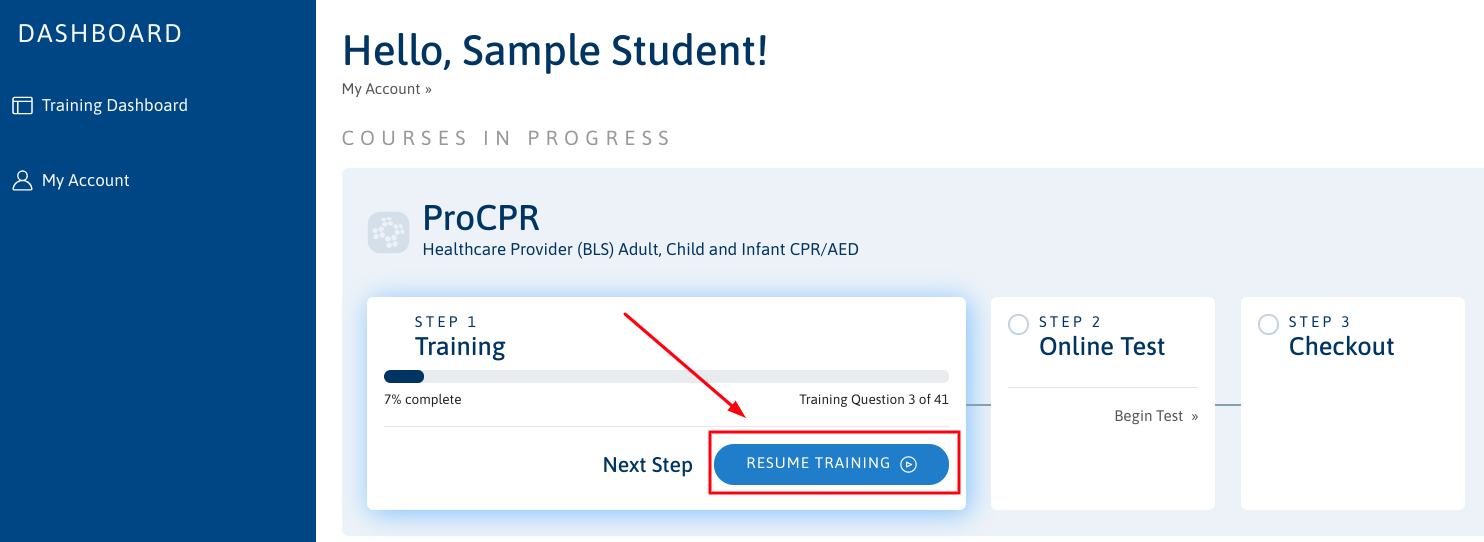
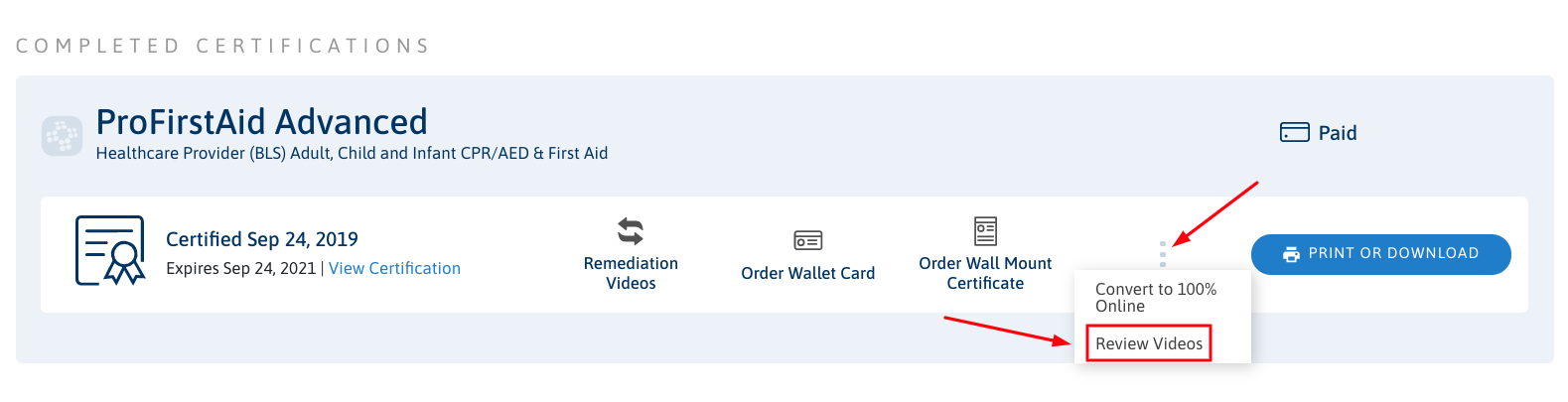
- 4.

B - After clicking the Review Videos button you will be directed to the Training Video Library for your course. Click on the download the student manual link towards the top of the page.
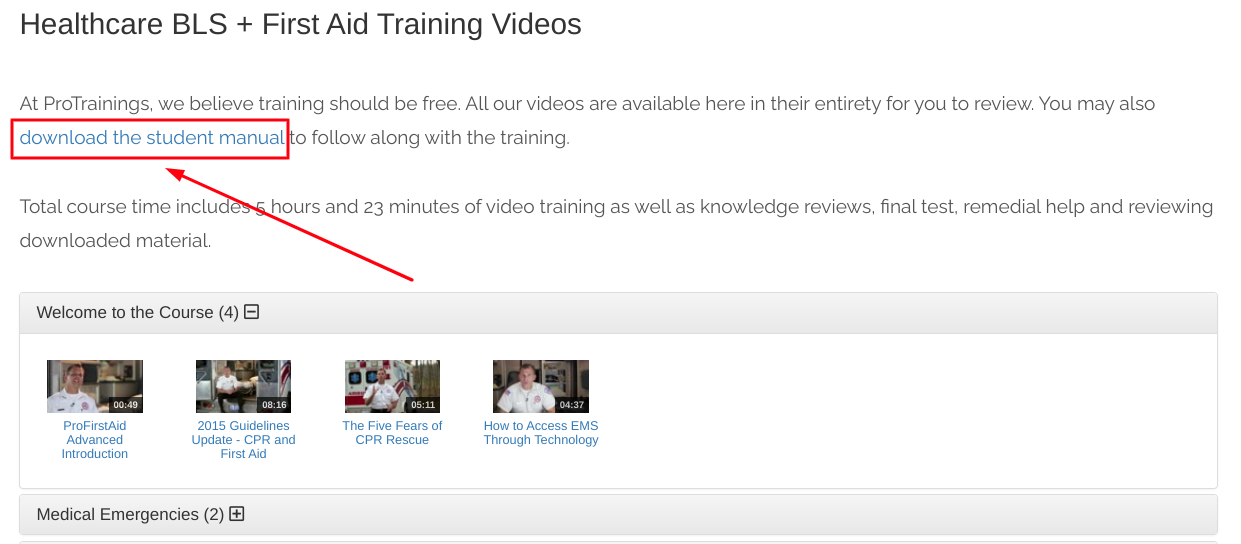
- 5 View, print, or save the student manual.
On the course page:
- 1. Click on

- 5 Scroll down and click on the
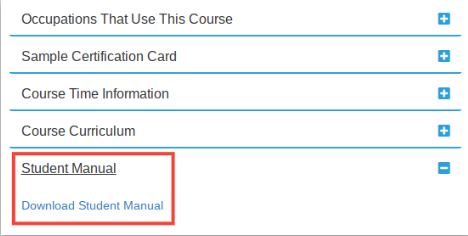
- 6 View, print, or save the student manual.
On our Downloads page:
- 1.
Did you know? You can order a printed student manual to be mailed to you from our Store. While you’re there, check out our other useful CPR and first aid-related tools.