Training Video Options
The training, in the online course format, can be accessed in a variety of ways depending on the student and their needs/learning style. Each training video has a full transcript that can be accessed right below the video.
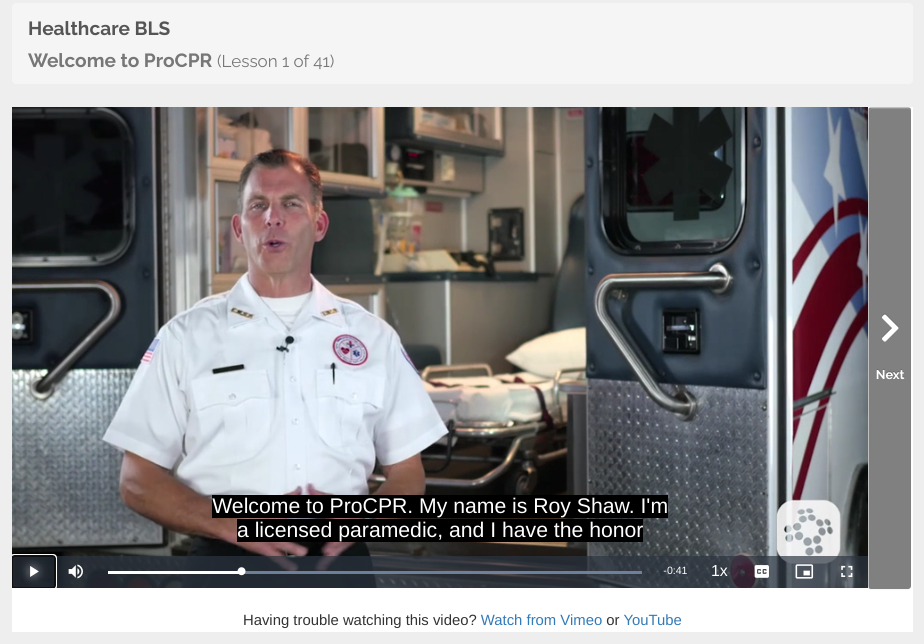
We also offer Closed Captioning in English for all of our courses and Spanish for a variety of our courses. See below for how to access these options-
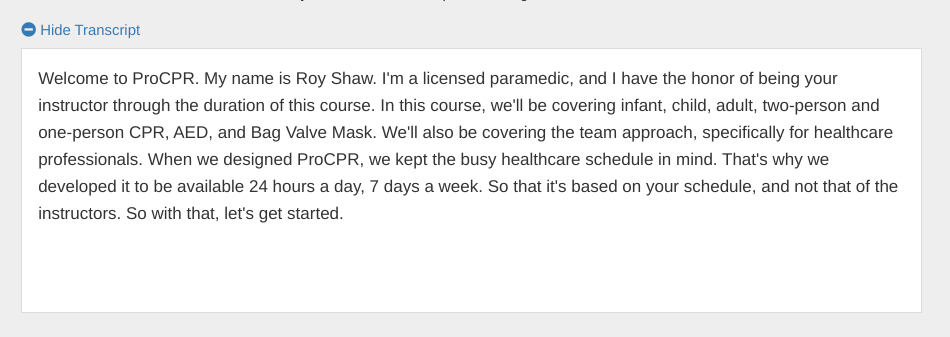
To view the video transcript-
-
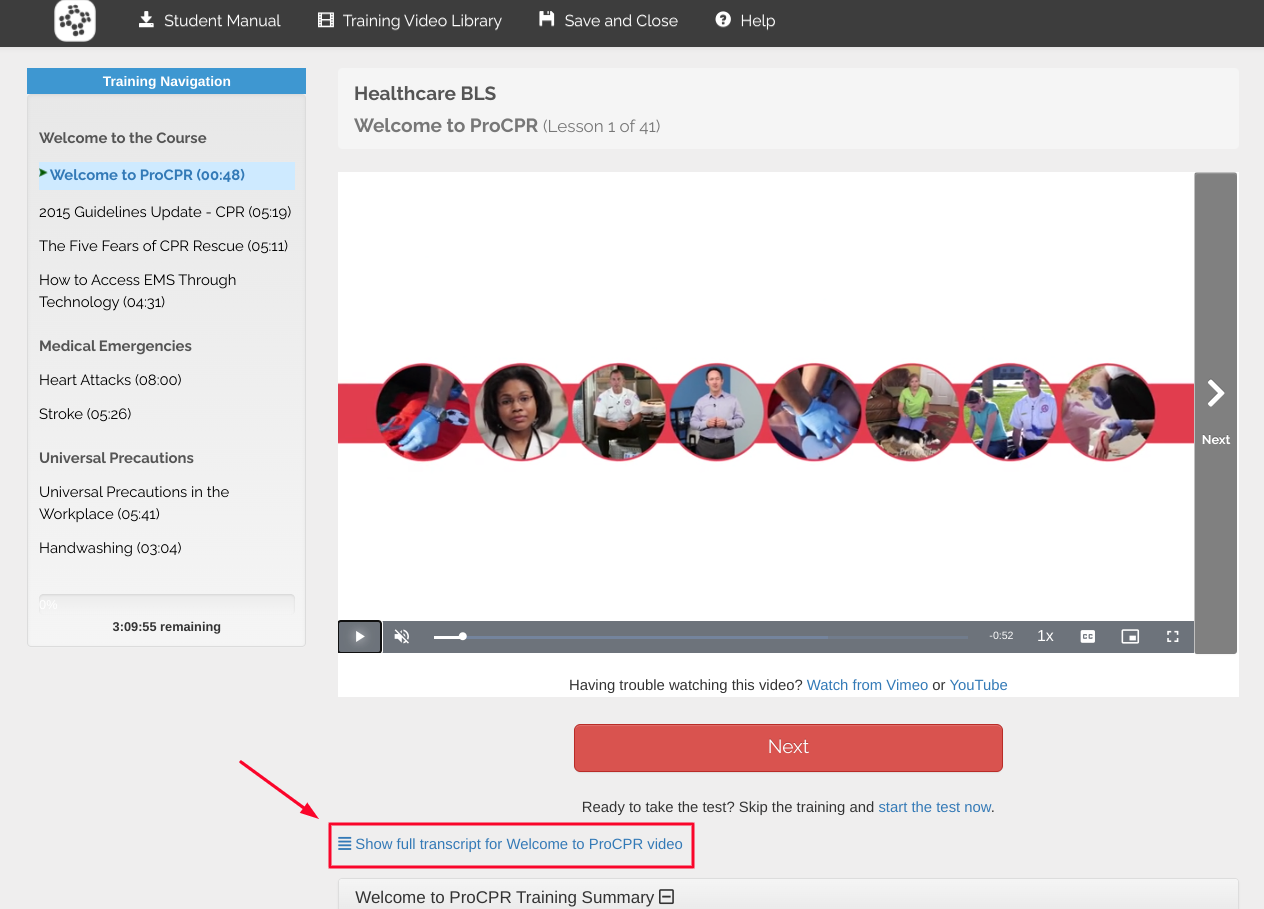
Below the training video click on the
Show full transcript for (video name) link.
-
This will display the video transcript as shown below.
To turn on Closed Captioning
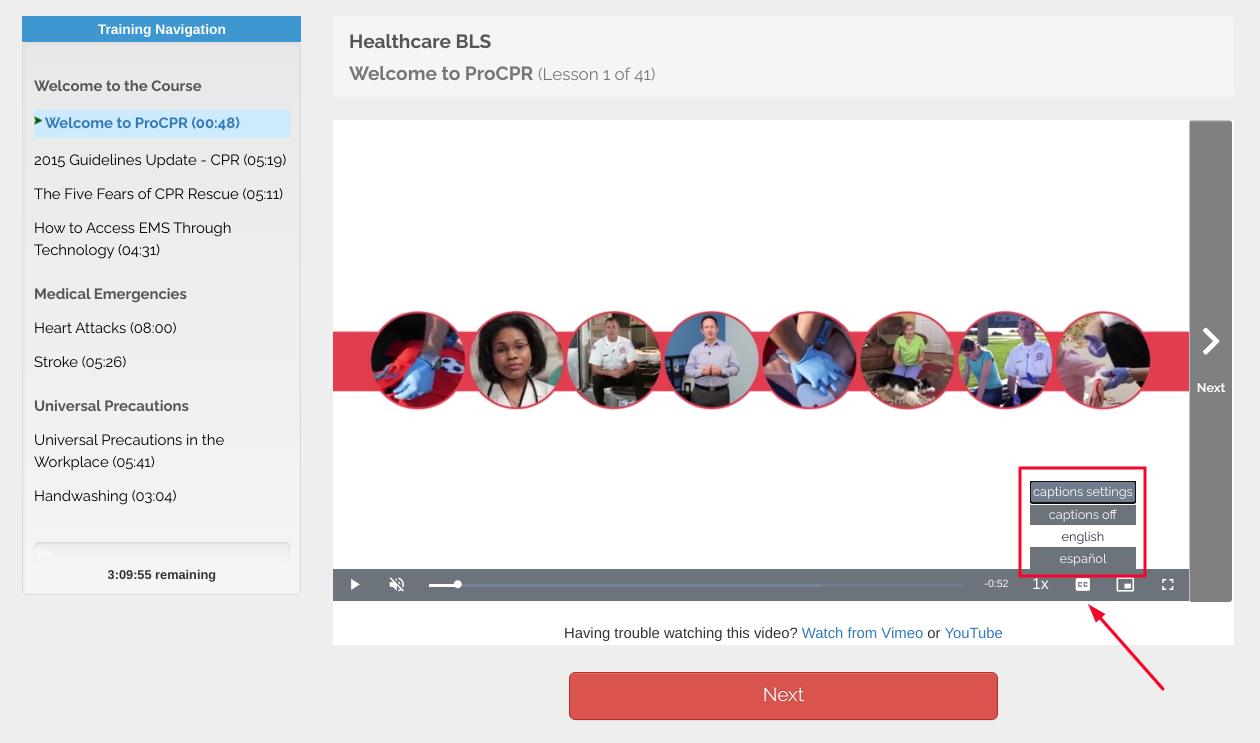
- Click on the Closed Captioning- CC icon in the video player toolbar. This will bring up the captions setting where you can select to turn on captions in English or Spanish (if available).
-
-
Once the captions are turned on, they will appear on the video as shown below. To turn the captions off, simply click the
CC icon again and select
captions off.