
How to find your course/test/certification-
If you’re having trouble getting back to your course and test or finding your certification, try these troubleshooting tips:
- 1
- If you’re logged into an account, you will see:
- The Log Out link on the far right-hand side of the navy navigation bar at the top of the page next to your name.
- Your personal Dashboard and name by clicking the Dashboard link in the navy navigation bar at the top of your page.

- 2
- Follow the steps above to get to your
- . There you will find the
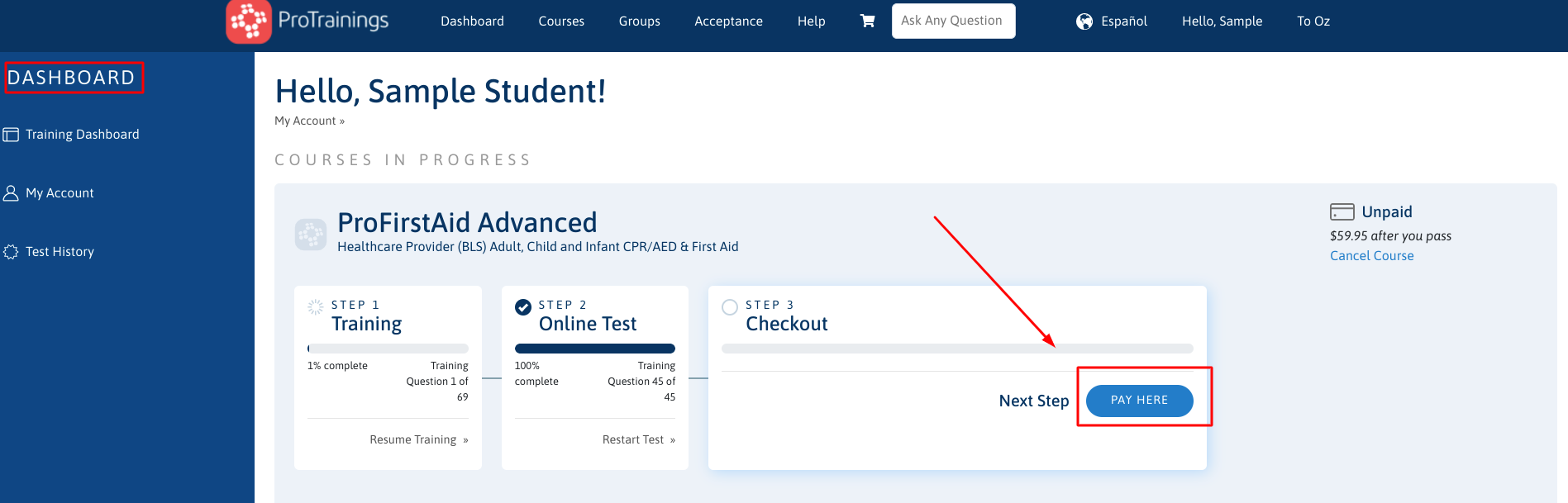
- section and under this section is where you will find any courses you’ve started or completed but not purchased, as well the
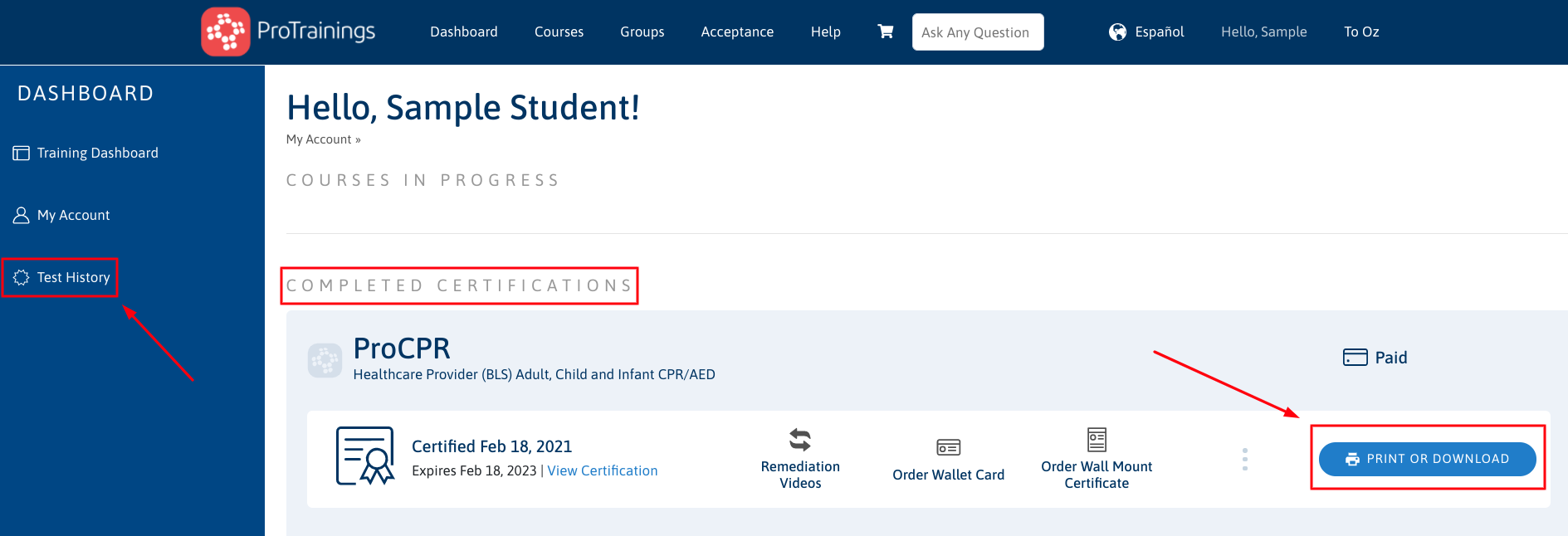
- section where you will find completed and purchased courses.
- Under the
- section,
- you can begin, resume, or purchase your course. There is an additional section titled "More Courses". You can also click on the title and see additional courses you have added to your account.
- Under the
- section, click on the blue
- button to download and/or print your digital wallet card, wall certificate, receipt, or CEU Statement. You can also view your testing history by clicking on the
- tab on the left-hand side of your account.
- 3
- If you’ve followed the steps above but don’t see the correct course, your certification is missing, or your course progress appears to be wrong, you may have logged into a different account than the one you originally trained on. In this case, the fastest and best solution is to
- team so that they can look up your account. We can quickly and easily combine your accounts into one and help access the course/certificate that you need.
Need more help? See our articles on logging in and resuming your course or test.